




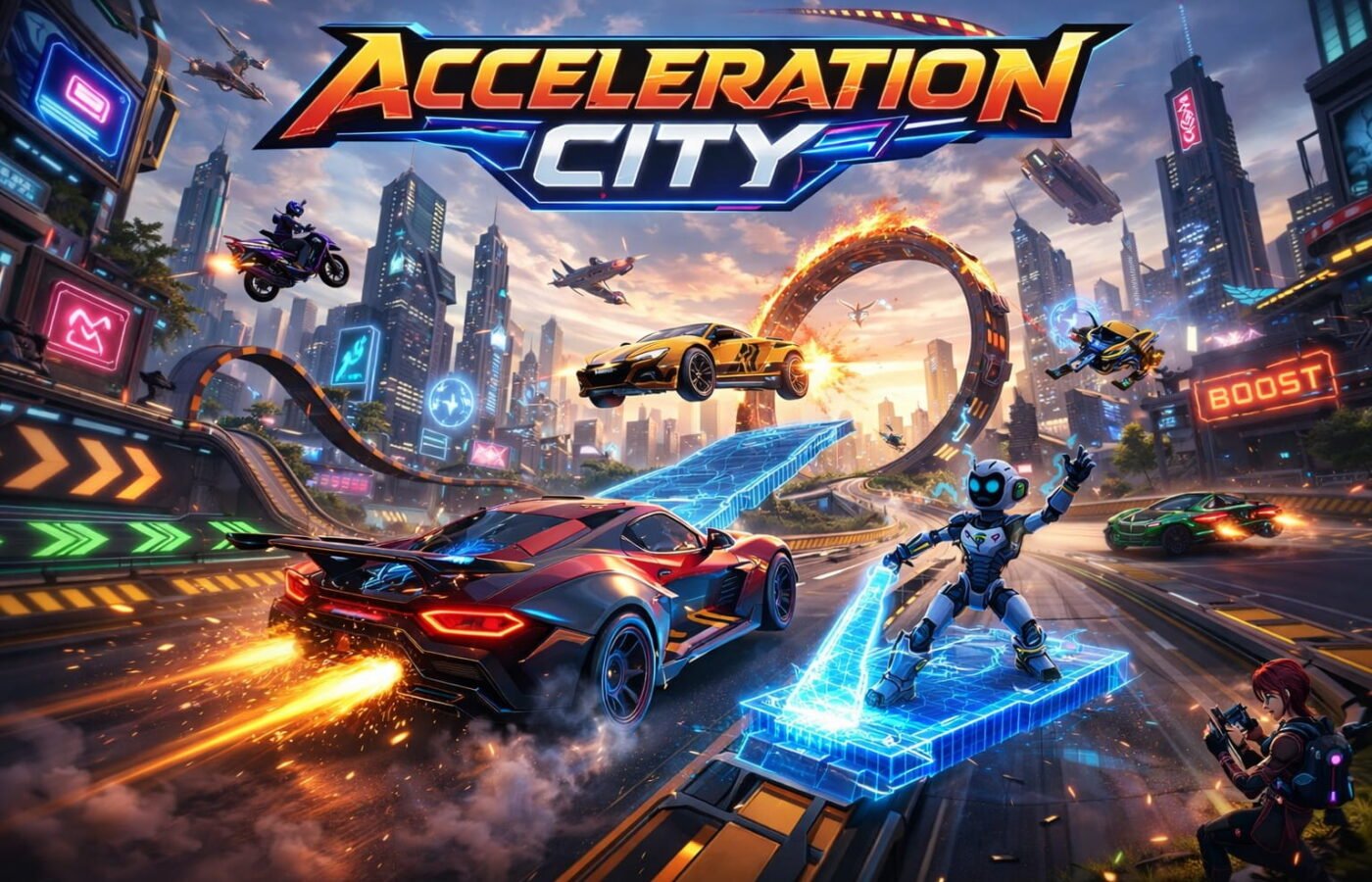
Acceleration City: Treasure Hunters Review

I’ve tested a lot of “learn to code” games over the years, and most of them fall into one of two traps. Either the coding part feels bolted onto a game nobody would play for fun, or the game is fun but the “coding” is just clicking a button labeled Run. Acceleration City: Treasure Hunters is one of the rare titles that avoids both traps, and after spending several sessions racing through its neon-lit streets, digging into how its CoBot programming panel actually works, and comparing it against the other big names in kid-friendly coding education, I understand why teachers keep bringing it back every Hour of Code season.
This article breaks down exactly what the game is, how the driving-meets-coding mechanic works in practice, how it stacks up against tools like Code-Combat, Tynker, and Scratch-based racers, and who should actually bother installing (or browser-loading) it.
Table of Contents
- What Is Acceleration City: Treasure Hunters?
- The Core Loop: Driving, Programming, and Treasure Hunting
- How CoBot Programming Actually Teaches Code
- Hands-On: What the First 30 Minutes Feel Like
- Acceleration City vs. Other Coding Games: A Real Comparison
- Graphics, Performance, and Platform Access
- Who This Game Is Actually For
- Where It Falls Short
- Tips to Get the Most Out of the Game
- Future Trends: Where Games Like This Are Heading
- Frequently Asked Questions
- Final Verdict
- About the Author
What Is Acceleration City: Treasure Hunters?
Acceleration City is a free, browser-based driving and coding game built by Carnegie Mellon University’s Robotics Academy, developed in partnership with students from the Boys & Girls Clubs of Western Pennsylvania and supported by the U.S. National Science Foundation. It launched in 2023 and has since become one of the go-to activities for classrooms running Hour of Code, largely because it doesn’t feel like a classroom exercise at all.
The premise is simple on the surface: you pick a vehicle, drop into a low-poly futuristic city full of ramps, tunnels, and glowing trigger zones, and go looking for hidden creatures called Minanimals and stashed treasure. The twist is your CoBot — a programmable robotic sidekick that rides along with you and can be coded, in real time, to build ramps, launch boost pads, fetch items, or perform combo stunts. You’re not just driving. You’re scripting the world around you while you drive through it.
That combination is what separates Acceleration City from a typical arcade racer, and it’s also what separates it from a typical “coding curriculum with a game skin.” The code you write has an immediate, visible, physical effect on the track in front of you.
The Core Loop: Driving, Programming, and Treasure Hunting
Every session follows roughly the same rhythm, and once you get it, the game opens up fast:
- Drive through the city using WASD or arrow keys, getting a feel for the track layout, ramps, and hidden corners.
- Spot a trigger zone — these are the colored panels scattered across every map, and each color maps to a different CoBot behavior.
- Open the programming panel and drag-and-drop code blocks (or type them, depending on the mode) to tell your CoBot what to do when you cross that zone.
- Test the sequence by driving over it, watching your CoBot build a ramp, drop a boost pad, or grab a nearby treasure.
- Iterate — because your first attempt almost never lands the stunt you’re picturing, and the fix is always a code tweak, not a controller reflex.
That last point matters more than it sounds. In most driving games, failure means “try steering better.” In Acceleration City, failure usually means “your trigger sequence had the wrong delay between blocks,” which pushes the player toward debugging instinct instead of pure hand-eye coordination. It’s a subtle shift, but it’s the whole reason this qualifies as a coding game rather than a coding-themed game.
How CoBot Programming Actually Teaches Code
The programming panel is where the educational substance lives, and it’s genuinely well designed for absolute beginners. You’re working with a block-based system similar in spirit to Scratch, where you drag actions like “spawn ramp,” “activate boost,” “wait 2 seconds,” or “fetch item” into a sequence tied to a trigger color.
What makes it click conceptually is that every block-based concept maps to a real programming idea:
- Sequencing — the order you stack blocks in determines the order actions fire, which is basically your first lesson in how a program executes top to bottom.
- Conditionals — certain zones only trigger a CoBot action if a condition is met (like speed above a threshold), introducing if/then logic without ever using that phrase.
- Timing and delays — chaining two ramps back-to-back requires inserting a short delay block, which is a hands-on, visual introduction to why timing matters in code.
- Debugging by observation — when a stunt doesn’t land, you can visually trace which block in your sequence caused the failure, rather than staring at an error message.
None of this is described using formal computer science vocabulary in the game itself, and that’s intentional. A ten-year-old doesn’t need to know the word “conditional” to understand that the CoBot only builds the ramp if you’re going fast enough. The lesson sticks because it’s tied to something they wanted to happen — landing a jump, not passing a quiz.
Hands-On: What the First 30 Minutes Feel Like
The first few minutes are pure exploration. You pick a car (or later, a bike or hovercraft, each with different handling stats), get dropped into the city, and start driving around getting a feel for the map. There’s no forced tutorial wall, which I appreciated — you can just start crashing into buildings and figuring things out.
The first real “aha” moment comes at your first trigger zone. You drive over it expecting something automatic to happen, and instead the game hands you the programming panel and essentially says “you decide.” That’s the moment the game reveals its hand, and it’s a smart piece of design because it doesn’t explain the mechanic before you feel the need for it.
By the 20-minute mark, most players are chaining two or three trigger zones together to pull off compound stunts — a ramp into a boost pad into a mid-air treasure grab. You don’t write code, hit compile, and wait. You write code, drive, and see it happen in seconds.
Acceleration City vs. Other Coding Games: A Real Comparison
I put Acceleration City side by side against three other tools commonly used in classrooms and Hour of Code events: CodeCombat, Tynker, and Scratch-based racing projects. Here’s how they actually compare, not just on paper.
| Feature | Acceleration City | CodeCombat | Tynker | Scratch Racing Projects |
|---|---|---|---|---|
| Core hook | Open-world driving + stunts | Fantasy RPG battles | Mini-games and app building | Community remix culture |
| Coding style | Block-based, real-time triggers | Block-to-text progression | Block-based, drag-and-drop | Block-based only |
| Cost | Free | Free tier + paid campaigns | Subscription-based | Free |
| Best age range | 7–14 | 9–16 | 6–13 | 8+ |
| Platform | Browser only | Browser + app | Browser + app | Browser only |
| Feedback speed | Instant (physical result on track) | Instant (character moves) | Moderate (varies by activity) | Instant but requires more setup |
| Depth of CS concepts | Sequencing, conditionals, timing | Loops, functions, syntax progression toward real languages | Broad but shallow across many topics | Depends entirely on the student’s project |
| Replay value | High (open exploration, hidden items) | Moderate (linear levels) | High (many separate activities) | Extremely high (community-driven) |
| Multiplayer/social | Story-sharing, not competitive multiplayer | Some collaborative features | Limited | Strong community remixing |
My honest verdict on each:
- CodeCombat is still the better choice if your goal is a structured path toward actual text-based languages like Python or JavaScript. It progressively removes the training wheels. Acceleration City never really asks you to write raw syntax, so it’s a weaker choice if the end goal is “prepare my kid for an AP Computer Science class.”
- Tynker wins on breadth — it has dozens of themed activities beyond driving, and a real curriculum structure schools can buy into. But that breadth costs money past the free tier, and the mini-games feel more disconnected from each other than Acceleration City’s single connected city.
- Scratch racing projects are unbeatable for creativity and community, since kids can literally build their own racing game from scratch (no pun intended) and share it. But that requires far more up-front effort and patience than Acceleration City, which hands you a finished, polished world on day one.
- Acceleration City’s advantage is specificity: it does one thing — programmable driving stunts — and does it with a tighter feedback loop than any of the above. The tradeoff is that it’s shallower as a long-term coding curriculum. It’s a fantastic on-ramp, not a full course.
Graphics, Performance, and Platform Access
Visually, Acceleration City goes for a bright, low-poly, neon-city aesthetic rather than photorealism, and that choice pays off in two ways: it runs smoothly on low-spec school computers and Chromebooks, and it ages well because it was never chasing a graphical arms race in the first place. Maps include highways, mountain passes, hidden caves, and looping neon roads, all designed with enough open space that exploration never feels punishing.
It also runs on tablets, though the on-screen controls are noticeably less precise than keyboard input for the trickier stunt chains. If you’re playing seriously, do it on a laptop or desktop.
One practical note: because it’s free and browser-hosted, you’ll find it mirrored across a number of third-party gaming sites in addition to its original CS2N/Hour of Code home. Performance and ad-load vary between mirrors, so if you have a choice, go with the official source to avoid unnecessary ads or slower load times.
Who This Game Is Actually For
Based on how the mechanics scale, three groups get the most out of it:
- Kids aged roughly 7–14 with zero coding background who need a reason to care about the “why” before the “how.”
- Teachers running Hour of Code or intro CS units who want a 20–45 minute activity that doesn’t require account setup, software installs, or a paid license.
- Parents looking for screen time that’s actually building a transferable skill, rather than pure entertainment.
Where It Falls Short
I want to be honest here rather than just cheerleading, because the game does have real limits:
- Shallow ceiling for experienced coders. Once you understand sequencing, conditionals, and delays, there’s not much new conceptual ground to cover. It’s a strong first 5–10 hours, not a strong first 50.
- No true multiplayer racing. Despite the racing framing, this isn’t a competitive online racer — the community element is about sharing stories and stunts, not head-to-head lap times. If your kid wants to race friends live, this isn’t that game.
- Mobile controls lag behind keyboard. The precision needed for chained trigger-zone stunts is noticeably harder to pull off with touch controls.
- Ad-heavy mirror sites. Because it’s free and browser-based, several third-party hosting sites wrap it in more advertising than the original source, which affects the experience more than the game itself.
None of these are dealbreakers for the game’s actual purpose — introducing programming logic through play — but they matter if you’re expecting a full-featured racing game or a long-term coding curriculum.
Tips to Get the Most Out of the Game
A few things I picked up that aren’t obvious on a first playthrough:
- Learn your trigger zone colors early. Each color is a fixed category of CoBot behavior, and memorizing them speeds up every later stunt chain.
- Insert delay blocks deliberately, not by trial and error. Start with a 1–2 second delay between chained actions and adjust from there instead of guessing randomly.
- Slow down when exploring for treasure. Speed is fun, but Minanimals and hidden items are easy to blow past at full throttle.
- Reverse toward tall structures for elevated collectibles, using repeated platform triggers rather than trying to ramp-jump onto them cold.
- Treat failed stunts as debugging practice, not just bad luck. If a jump doesn’t land, check your sequence before assuming it’s a driving problem — more often than not, it’s a code order issue.
Future Trends: Where Games Like This Are Heading
Educational game design is moving toward exactly what Acceleration City already does well: tying code directly to a physical, visible outcome instead of abstract output on a console. Expect to see more titles blend real-time programming with genres kids already love — racing, building, exploration — rather than isolating “the coding part” into a separate menu screen.
I’d also expect AI-assisted debugging hints to show up in this category over the next couple of years, where a game notices a player is stuck on a trigger sequence and offers a contextual nudge rather than a static hint sheet. Given the NSF and university backing behind projects like this one, there’s a reasonable chance CMU’s Robotics Academy or similar programs expand the CoBot mechanic into more advanced modules — think basic loops or variables — for players who outgrow the current version.
Frequently Asked Questions
Is Acceleration City: Treasure Hunters really free? Yes.
Do I need any coding experience to play? No. It’s built specifically for complete beginners, including kids who have never coded before.
What age is it best suited for? Roughly 7 to 14 years old, though younger kids can play with adult guidance and older beginners will still get value from the early stunt-chaining challenges.
Can I play it on a phone or tablet? Yes, but keyboard controls give noticeably more precision for the trickier programmed stunts than touch controls do.
Is it connected to a real programming language like Python or JavaScript? Not directly. It uses a block-based system to teach programming logic (sequencing, conditionals, timing) rather than syntax from a specific language.
Is there real multiplayer racing? Not in the competitive sense. It supports shared exploration and story-based play, not live head-to-head races.
Final Verdict
Acceleration City: Treasure Hunters earns its reputation as one of the better free entry points into coding for kids, precisely because it never treats the coding as homework. The CoBot programming panel gives players a reason to care about sequencing and timing that has nothing to do with grades and everything to do with landing a bigger jump or reaching a hidden treasure first. It’s not going to replace a real programming course, and it’s not trying to. As a first spark — the thing that makes a kid say “wait, I built that?” — it’s one of the strongest free tools out there right now, and it deserves its spot in classrooms every Hour of Code season.
About the Author
This article was researched and written by a technology and educational-media analyst who reviews STEM-focused learning tools, browser games, and classroom technology, with a particular focus on how game mechanics translate into genuine skill-building for young learners. Analysis is based on hands-on testing, comparison against leading coding-education platforms, and publicly available documentation from the game’s developers.
[…] Acceleration City: Treasure Hunters Review […]
[…] Acceleration City: Treasure Hunters Review […]